
Schnappschuss: Movement of the photo subject - an option for creativity by Klaus Hellmich
Reading time: 10 minutes - November 24, 2020 - by Klaus Hellmich
Many of you will be familiar with this: You start with the most beautiful secondary thing in the world - photography - and are initially preoccupied with the abundant setting parameters, perhaps even overwhelmed. At some point you understand the aperture, shutter speed, ISO settings and how they interact with each other. Other parameters such as white balance, exposure metering, focus point and AF modes are no longer the enemy, but almost our friend. And it is usually only then that really creative photography can begin, because our brain suddenly has the freedom and computing power to do so, as we are no longer constantly thinking about the previous settings and parameters, but these processes happen automatically in the background. When asked what a frequently used stylistic device is in many genres of photography, the first thing you usually hear is the term DoF, or Depth of Field, or the reduction in sharpness from the focal point in both directions. This depends on several factors. One factor is the aperture setting. I like to use this creative option a lot. Now comes the but. In my photographic development, I only discovered later that there is another setting in photography that should definitely not be put in second place from a creative point of view: the exposure or shutter speed. And here, dear readers, we come full circle to the topic of the current Schnappschuss: movement.
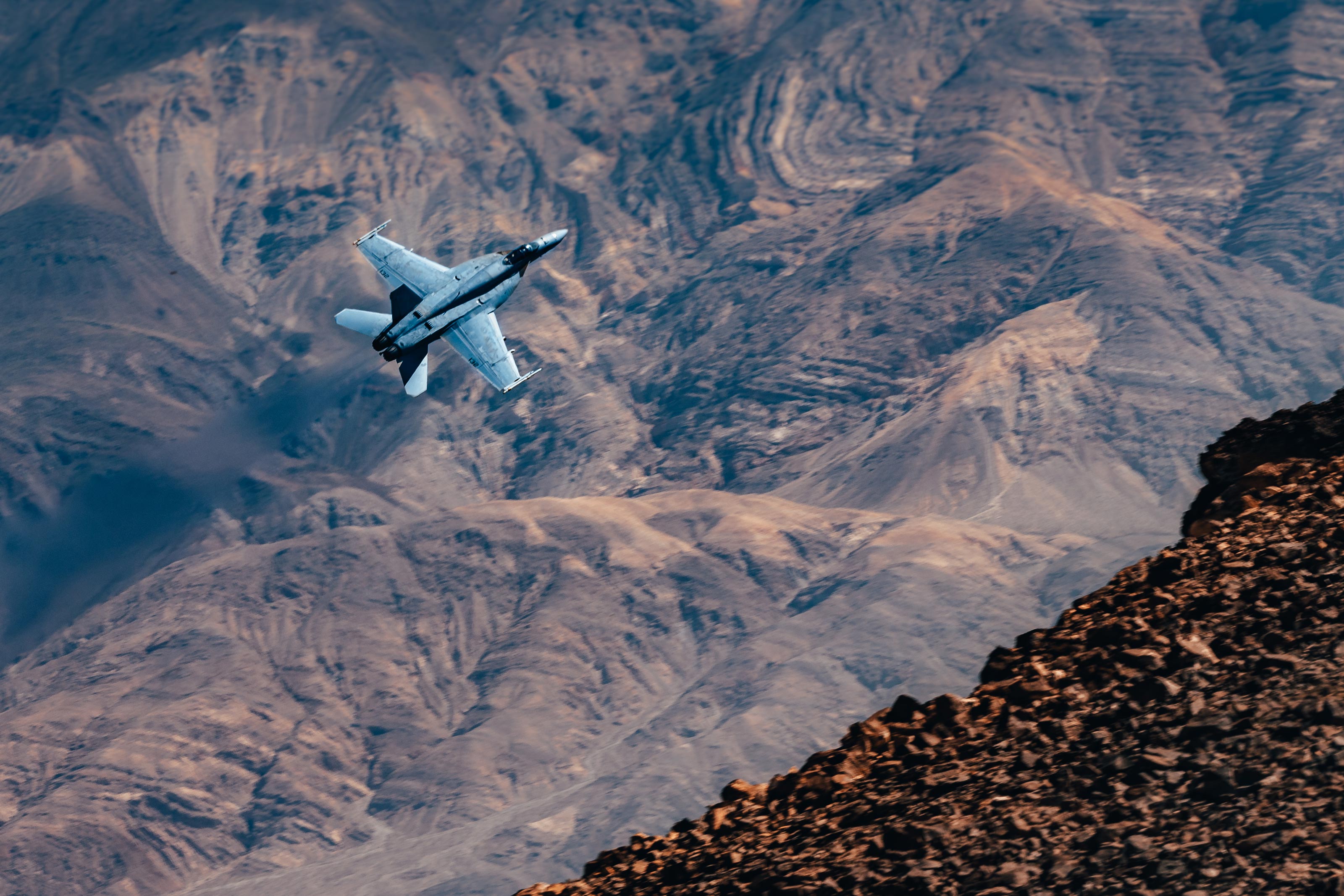 Image 1: f 9, 1/400, ISO 100, 270mm
Option 1: Freeze motifs
Let's start with perhaps the most common use case: I have a subject that is moving very fast, but I would still like to capture it sharply in my photo. In picture 1 of a low-flying F-18 Hornet in Rainbow or "Jedi" Canyon, not far from Death Valley, I used the S (TV) program on my Nikon, a semi-automatic mode that lets the user preselect the shutter speed but automatically sets the aperture. The autofocus mode was AF-C, and I used a small focus point group. I used the automatic setting for the ISO setting, as I had no way of controlling this motif; with the timeslot of the fly-by of perhaps four seconds, there would have been no time to set all the parameters - especially ISO - correctly manually. Admittedly, the selected exposure time of 1/400 is very optimistic, but it worked in this case. How short you actually have to expose in order to freeze movement always depends on the speed and direction of movement of the subject. In my experience, movements from edge to edge of the frame require shorter exposure times than a subject moving towards the camera. But to be honest: With many moving subjects, you have to feel your way towards the correct exposure time. Experiment and adjust your settings if necessary if you are not satisfied with the result. I was lucky in this flyby situation as the cheeky setting was successful. After all, I could never have predicted when the next plane would fly through the canyon and how fast, and I would have had the next trial-and-error opportunity.
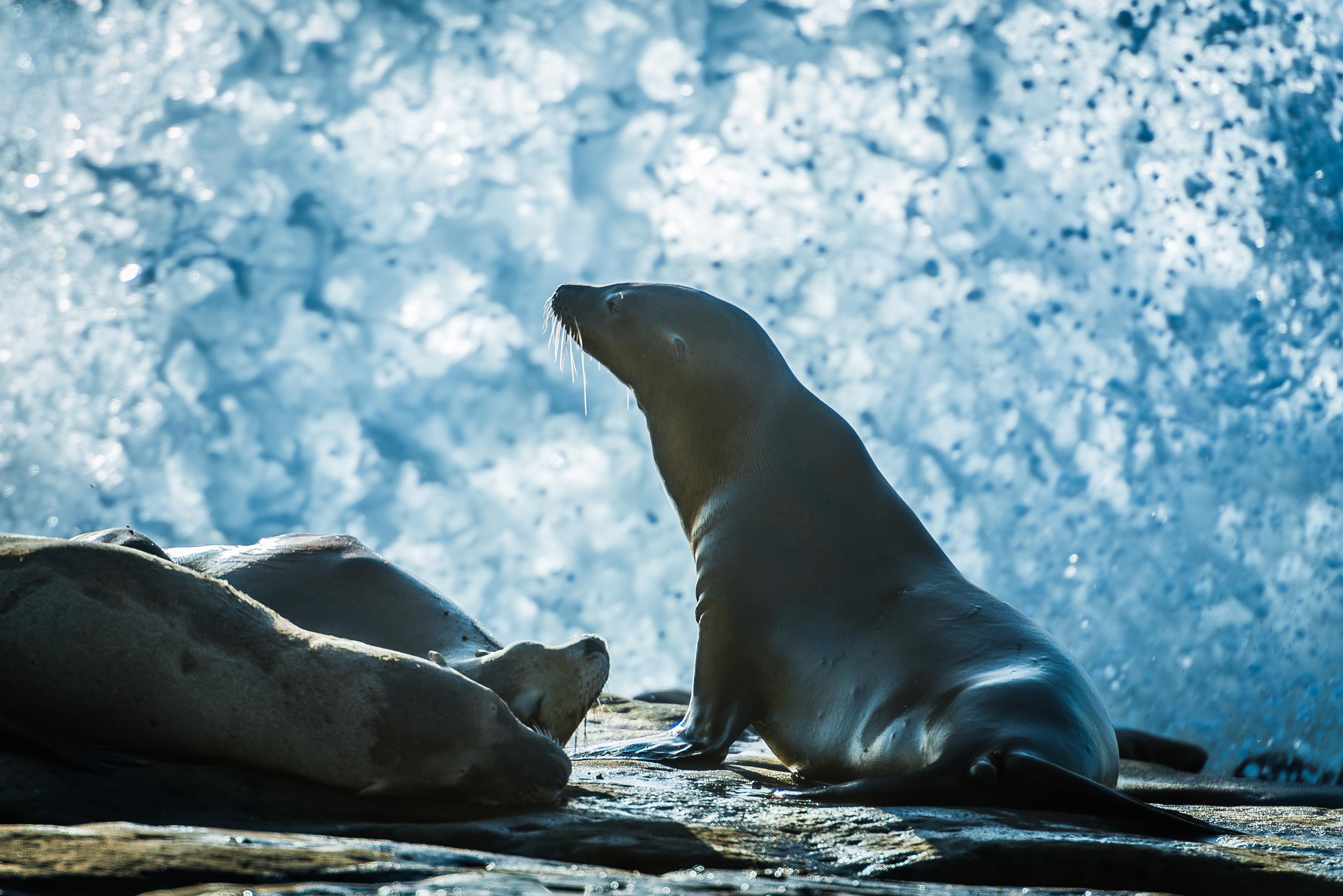 Image 2: f5.6, 1/320, ISO 100, 400mm
This photo (image 2) was specifically about capturing or freezing the movement of the surf of the cliffs in La Jolla, San Diego, in addition to the graceful sea lions. After a few attempts, 1/320 was just about enough. I didn't want to use a shorter exposure because I wanted to keep the ISO value at 100, but couldn't open the aperture any wider due to the design of the lens. As time was not a factor here (the sea lions and the Pacific Ocean made no move to move away), I photographed in M mode and selected all the parameters manually.
This brings me to another point: the portfolio. Throughout my entire professional career, I have never actually been asked for my final certificate or final project. It's always the last project or projects that count. So it is extremely important for me to be able to show projects that I am satisfied with and that I really stand behind. That's not always easy. Especially at the beginning of my career, my perfectionism often ate me up from the inside. I didn't think any of my projects were good enough to be part of my website. Unfortunately, as a freelancer you can't rest on a three-year-old project, you have to constantly venture into new projects in order to have an up-to-date portfolio.
Long exposure in landscape photography
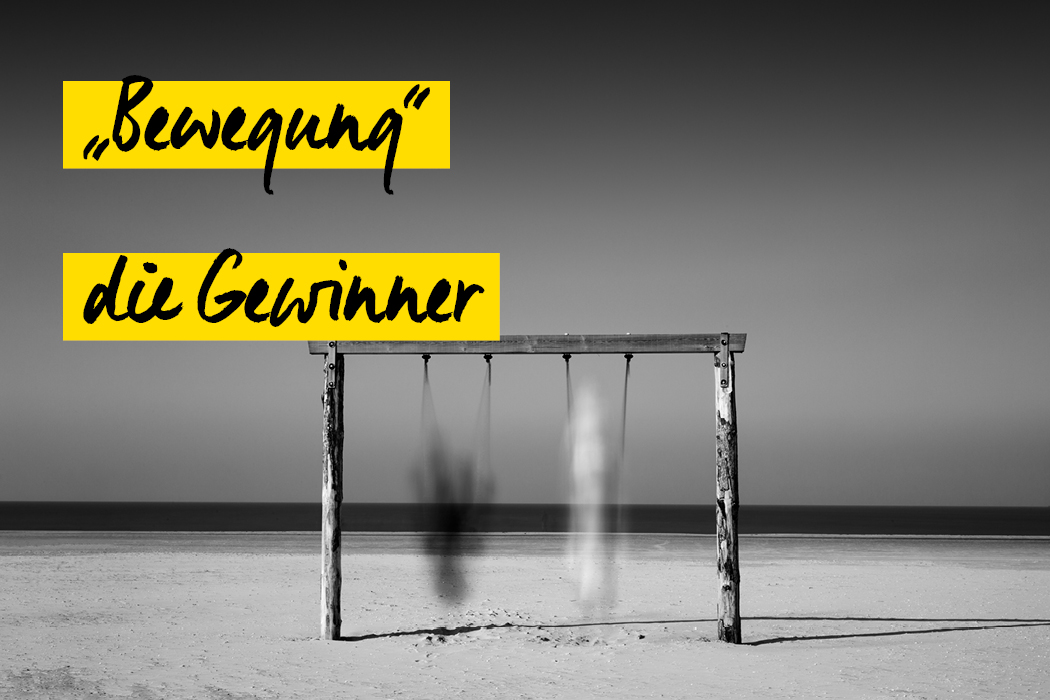
Another application that I personally find particularly fascinating is capturing the movement of the subject over a longer period of time in a single light image. This creates images that the human eye could never perceive in this way. Everything that happens in front of the camera in a predefined period of time is depicted in a single image. This stylistic device is particularly effective when not everything in the picture is moving, but parts are still.
Depending on the lighting conditions and the speed of movement of the subject, the camera's own light control elements are often no longer sufficient to realize such special long exposure times of 20 seconds and more. This is where a relatively simple and inexpensive accessory comes into play in photography: the gray filter. Without wanting to go into detail here, it can be simplified to say that a grey filter is a pair of "sunglasses" for the camera and minimizes the incident light by a desired level. In order to compensate for the lack of light and to expose technically correctly, the camera is forced to use longer exposure times. Everything that happens in front of the camera during this long exposure time is then captured in a single image. It is important to use a tripod and release the camera using the self-timer or remote shutter release. Pressing the shutter release normally could lead to blurring in the image if the exposure is so long
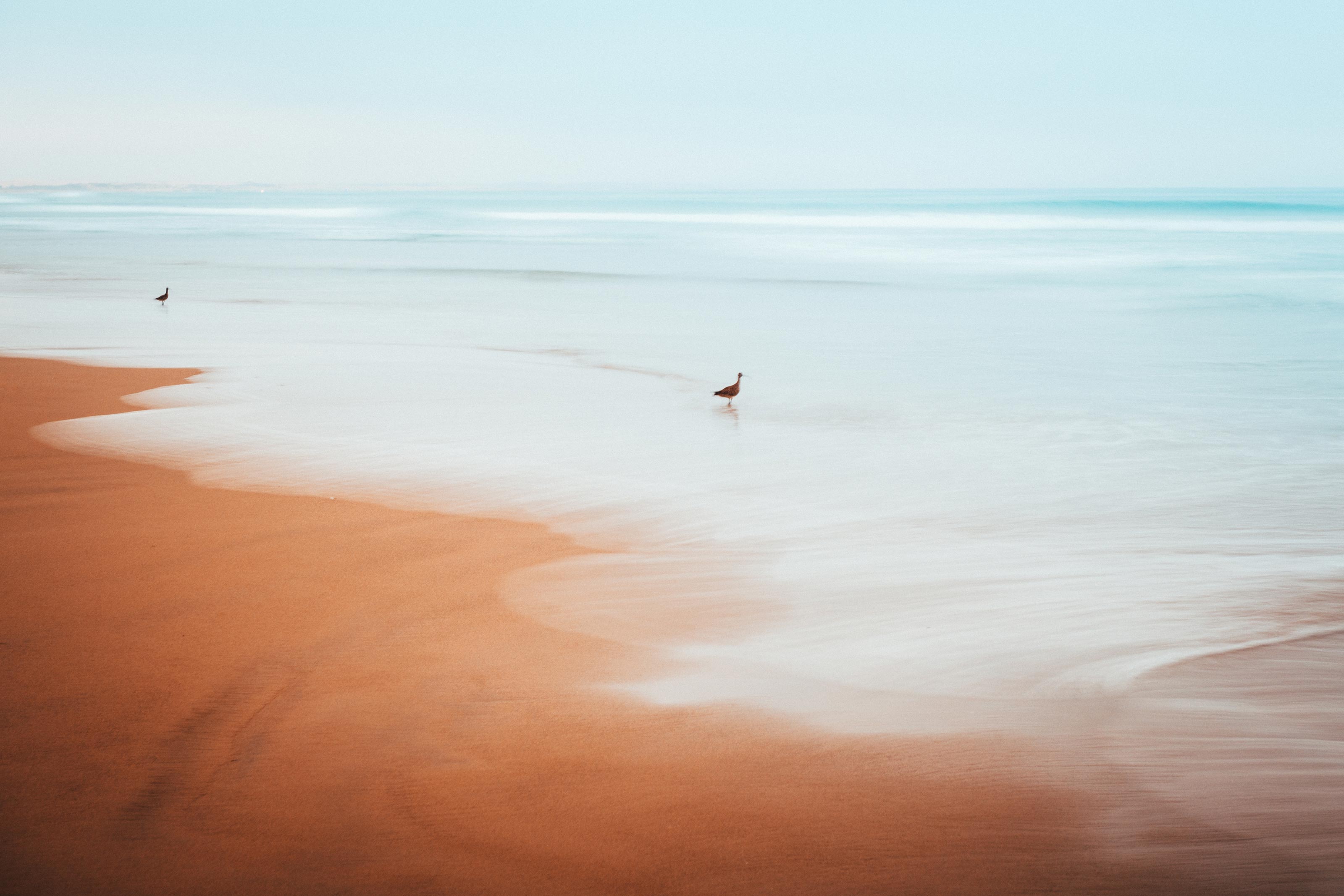 Image 3: f8, 2 sec, ISO 100, 70mm
I have developed a preference for the element of water as part of the motif in travel and landscape photography. Especially with moving water, I really like to "smooth out" the water surface using long exposures, as in image 2. In order to achieve the 30-second exposure time, I needed a grey filter in this case. The longer the exposure and the calmer the water itself is, the "smoother" and more "reflective" the surface of the water will appear in the photo. In this picture, the mountains and Eilean Donan Castle are the fixed, still part of the picture. Especially with the element of water, it can be exciting in photography to expose "shorter and longer". If you stay in the region of 2 seconds, you can capture the dynamics of the flowing water, especially with the tides, as in image 3.
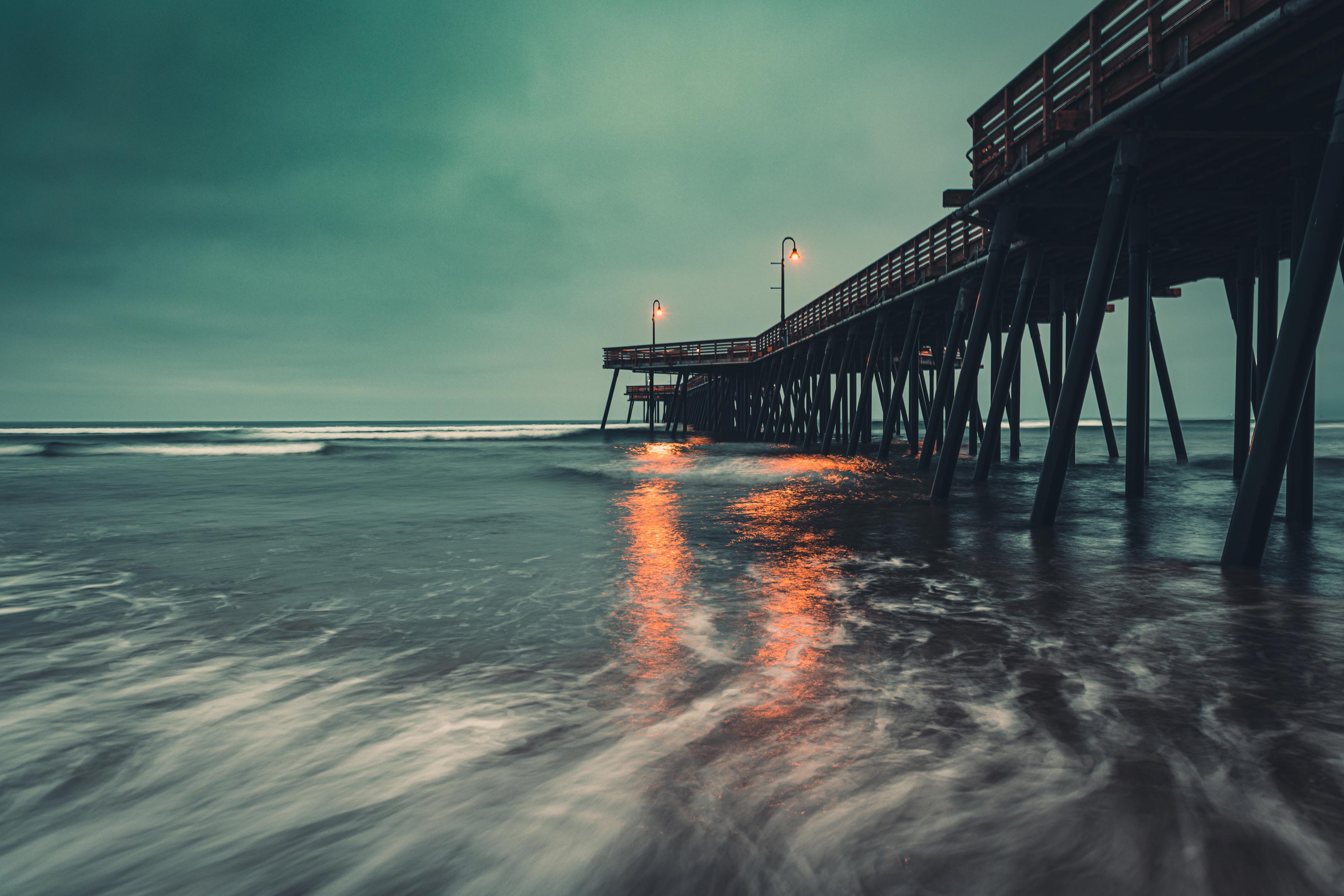 Image 4: f 13, 30 sec, ISO 100, 24mm
Then there are the long exposure subjects, where the lighting conditions do not require any technical tricks or a double bottom. In night photography, as in image 4, it is already so dark that you can often easily achieve an exposure time of 30 seconds without using a gray filter. Why 30 seconds of all things? On the one hand, this is a value that can still be set in the camera menu of most cameras without an external interval shutter release, and on the other hand it is a good compromise between the image composition result and the waiting time on location for the final product. You should not forget how much time can pass if you approach the optimum exposure settings for long exposure photography and continuously use shutter speeds of 30 seconds or more per shot. Then the golden and/or blue hour is often over and you can only march home with your head down and few presentable pictures.
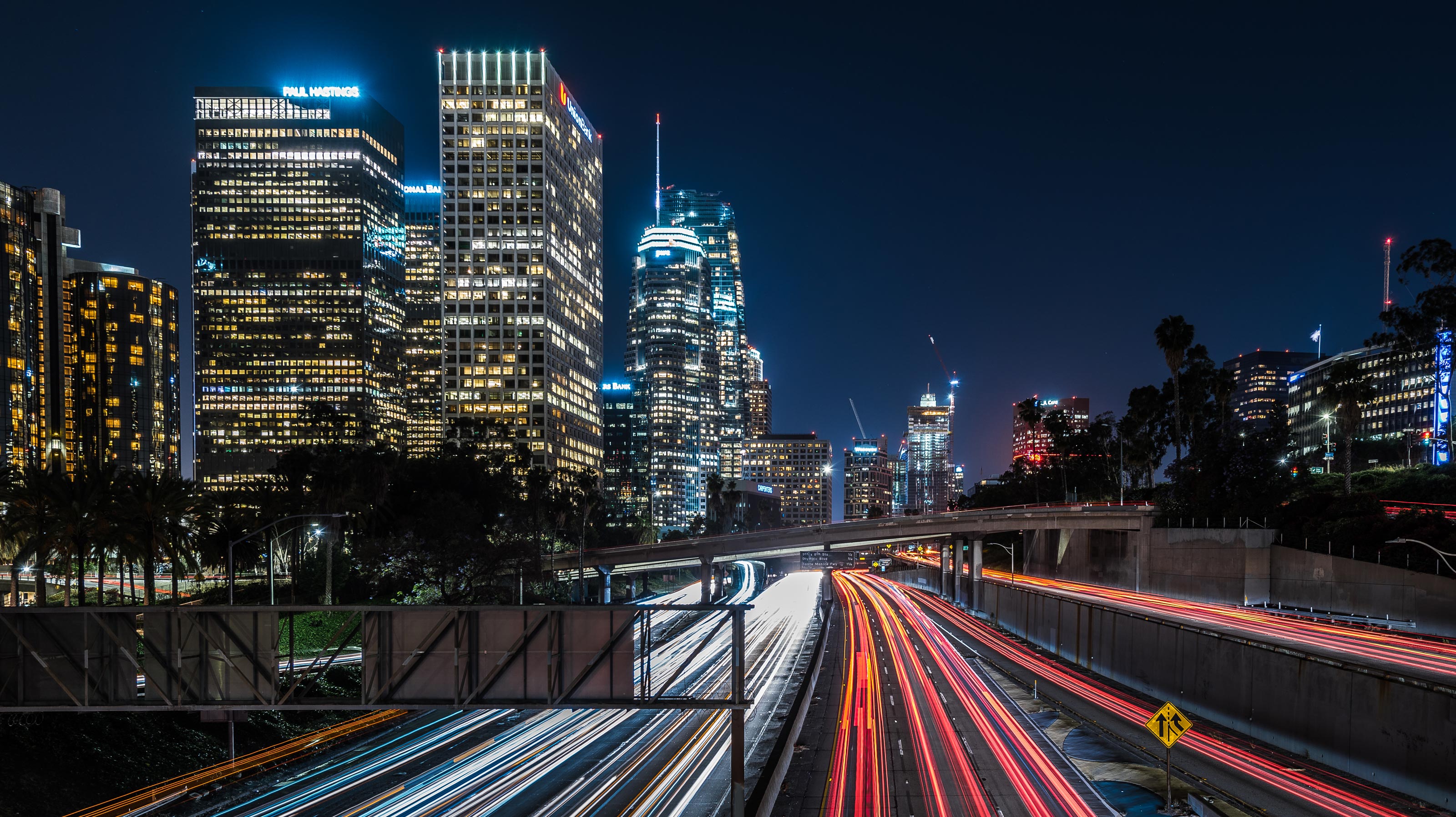 Image 5: f9, 15 sec, ISO 100, 24mm
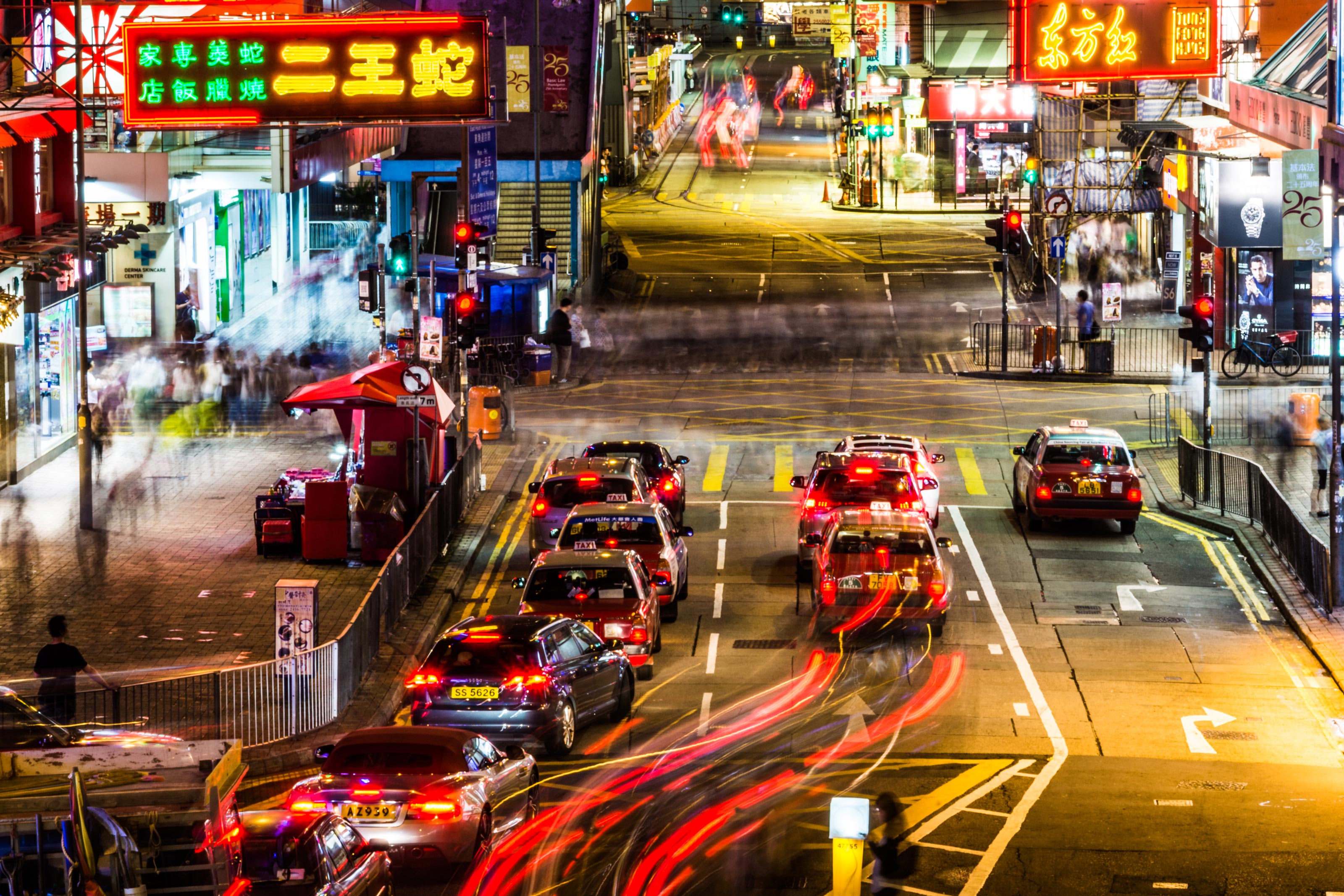 Image 6: f18, 9 sec, ISO100, 135mm
These two photos (image 5 and image 6) were taken without a gray filter. In front of the LA downtown skyline, the classic car light trails naturally look particularly good. Here, too, we have a moving and a still element in the photo. Landscape photos look a lot more dramatic if you don't have the purist, highly praised blue sky. It is much better to have clouds that move. The faster, the greater the "blur" effect in the long exposure, as here in Monument Valley.
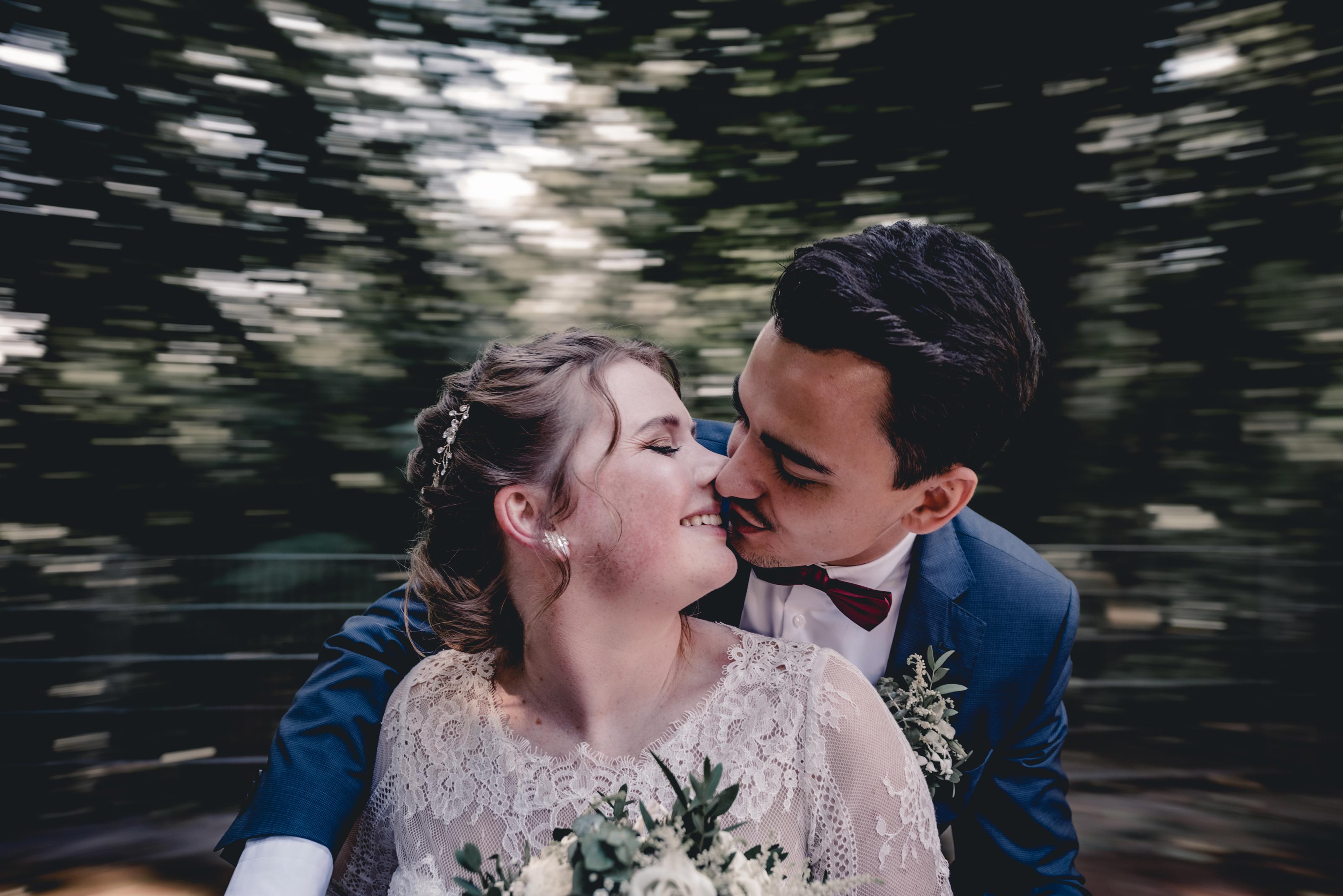 Image 7: f4, 1/30, ISO 100, 24mm
Movement and portrait photography?
But you can use the element of movement not only in landscape photography, but also creatively in portrait photography. In picture 7, the fixed element is the bridal couple, the moving element is the background.
If you have to think about the technical realization for a moment, I think a picture has already achieved a lot: the viewer engages with the work of art. In picture 7, the photographer is sitting with the couple on a spinning children's carousel in a playground. Because he is moving exactly as fast as the spinning couple, the background is blurred due to the exposure time set on the camera.
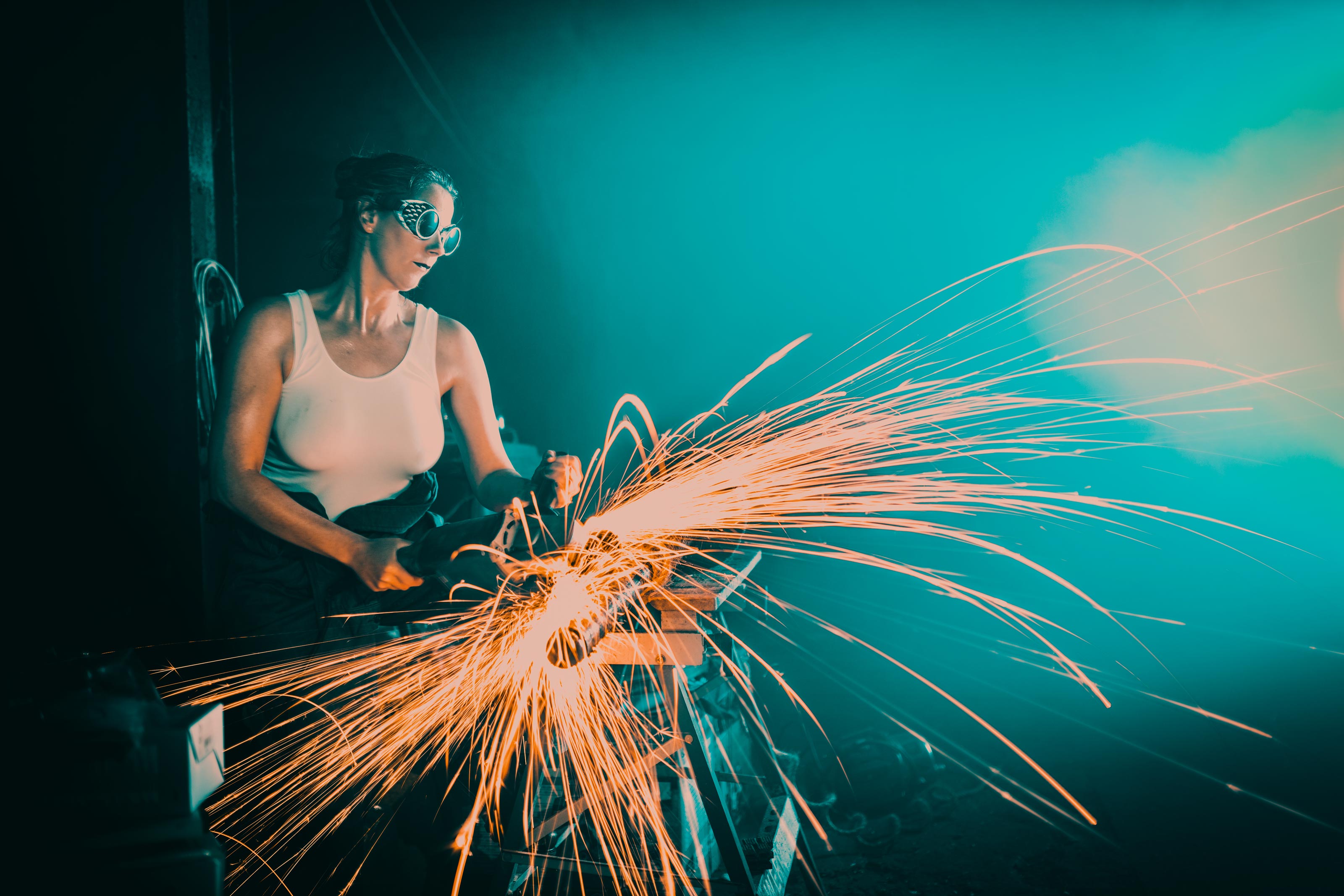 Image 8: f1.4, 0.6s, ISO 100, 35mm
In this picture (picture 8), the aim was to show the dynamics of "flexing" or, to put it more accurately, of cutting. If you had simply taken a short exposure here, e.g. 1/200, so as not to blur the photo, the flying sparks would probably have frozen. The longer exposure time certainly makes the picture more exciting, and the dynamic process of the depicted work process is shown more vividly. The photographic challenge here was to expose neither too short (flying sparks should draw lines) nor too long (motion blur on the model). However, the cutting machine is still minimally blurred, which in my opinion is still acceptable.
It can also be exciting to deliberately blur the movement of people or persons by using a longer exposure time, as in image 6. This effect is known as ghosting. You can see the movement of the people crossing the street. None of the people are deliberately in focus (except the standing people). Ghosting always works better when the subject - in this case the people - stands out from the background in high contrast.
Movement through dragging
From a technical point of view, I find the most difficult stylistic device when dealing with movement in a picture is the so-called dragging. I would like to encourage you, if you haven't tried this technique yet, to give it a try. And please don't be discouraged. Even if you've already done the pull-along a dozen times, the waste is immense. But what exactly is behind the artificial word "dragging"? The photographer tries to move the camera at exactly the same speed as the subject passing by. With the appropriate exposure setting, the subject should then be largely in focus and the background blurred. So much for the theory. In practice, the biggest challenge for me is to really move the camera parallel to the moving subject and not to incorporate any horizontal panning. Here, too, you need to feel your way around. It is important that you define the exposure time - whether in M or S (TV) mode on your camera.
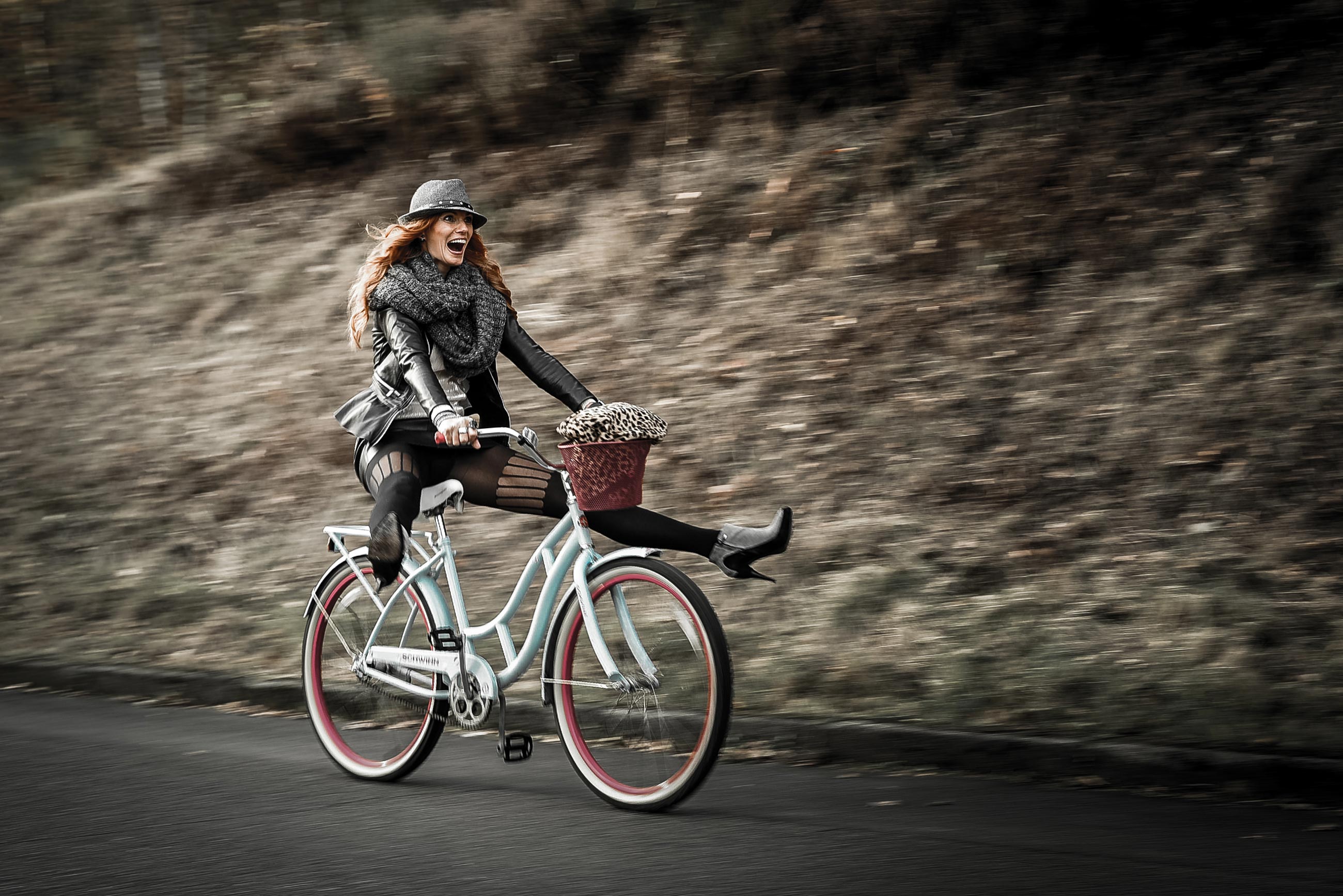 Image 9: f 5.6, 1/40, ISO 100, 50mm
I always try to estimate approximately how fast the subject is moving and set the reciprocal of the speed traveled as the initial setting for moving objects. To make it concrete: The lady in picture 9 cycled past me at 20 to 25 km/h after I had cheered her on loudly several times to the point of hoarseness to step on the gas. So I started with an exposure time of 1/25. The nasty thing about the story: the longer the exposure time, the stronger the desired blurring effect, but also the risk of blurring the image.
In my experience, shorter focal lengths are more suitable for followers, I like to work with 35 or 50 mm calculated on the 35 mm equivalent. Otherwise AF-C (AI Servo), single field focus or small focus group switched, and off you go. Of course, this doesn't just work with ladies on bicycles, but with anything that moves smoothly through the frame, e.g. cars, motorcycles, trains, etc.
As you can see, movement in the image, which may initially be perceived as an opponent of "sharp" photography, offers you a wide range of approaches for using it creatively. I hope that these lines and pictures have given you a taste for working creatively with the variable of movement in photos
If you have any questions, please feel free to contact me. And now it's your turn!
----
Further information and more works by the artist:
Klaus Hellmich
www.lichtbildidealisten.de
info@lichtbildidealisten.de
Instagram: @lichtbildidealisten
???????www.facebook.com/lichtbildidealisten
Workshops at the
Foto Koch Akademie
www.fotokoch.de/akademie