
13 mistakes photographers should not make
Reading Time: 6 minutes - 16.09.2020
Everyone knows them, everyone makes them! In this blog post, we've summarized the classic photographer mistakes - how you can avoid them and develop yourself further.
1. The horizon is crooked
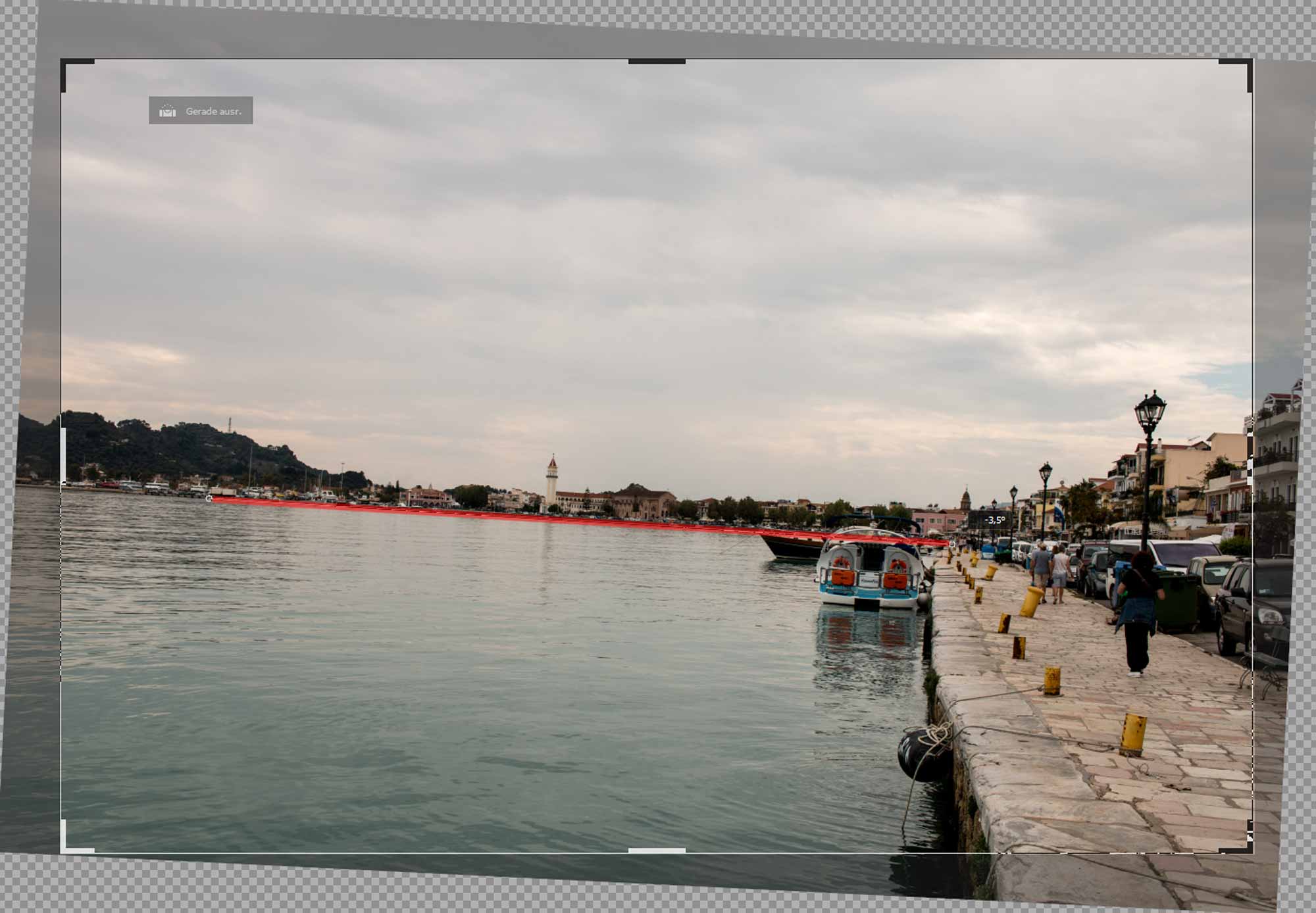
People are often careless when taking photos, perhaps they take pictures in a crooked position and the horizon is not straight. This is particularly inappropriate in wide landscapes or by the sea.
There are two possible correction options for this: Many cameras have a digital spirit level on the display or in the viewfinder. This allows you to quickly and easily check whether the horizon is level before taking the picture.
Option number two is digital post-processing. Correct your image easily in Capture One or Lightroom with the alignment correction. With just two clicks, you can massively enhance your photo! However, we recommend that you pay attention to the correct alignment when taking the photo, as parts of the image may be cut off in post-processing due to cropping and you may lose valuable image material as a result.

 Slate background
 Align background
2. Disturbing sensor spots
Disturbing spots in your pictures caused by a dirty sensor are annoying. You often only notice these on the PC monitor. Here, too, there are several ways to avoid this error! Activate your camera's automatic sensor cleaning function and regularly check your photos for spots. Especially with pictures of the sky, sensor spots can be identified very easily. If the camera's internal cleaning function doesn't help, try using a blower or professional sensor cleaning. Sensor spots can usually be removed quite easily, but it is tedious if you have to do this for every vacation photo.
Pro Tip: With Capture One you also have the option of stamping out a sensor spot on all images at the same time. To do this, first make the change to one photo and then apply the setting to the remaining photos.
 Sensor spots
 Without sensor spots
3. The dusty lens
A dusty lens is less problematic than a dirty sacred camera sensor, but no less inappropriate. Photography equipment can get dirty, especially the glass of your lens. More important is the care afterwards. Salt water and dust are the worst culprits for your equipment. So make sure that you clean your equipment after your photo tour with a little care. A blower, brush and dry microfiber cloth are helpful for this. Always make sure that you first remove larger dirt particles - such as sand and dust - with the blower and only then continue working with a cloth. Apart from that, it is important that you transport your equipment in a good bag anyway to protect it from external influences.
4. Is your camera completely out of focus?
It was dark the night before, the ISO is set to 12,800, the aperture is wide open and the focus is set to manual. Unfortunately, you didn't think about this and all the photos of the day so far have been taken with these settings despite the bright sunshine. Something similar can happen if you accidentally adjust the camera or the switches on the lens - when taking it out of your bag or because the camera is dangling from your body and hits something. So before you start taking photos, or better still at home, check that the basic settings are correct, especially ISO, aperture, shutter speed, exposure compensation, the focus point and auto/manual focus.
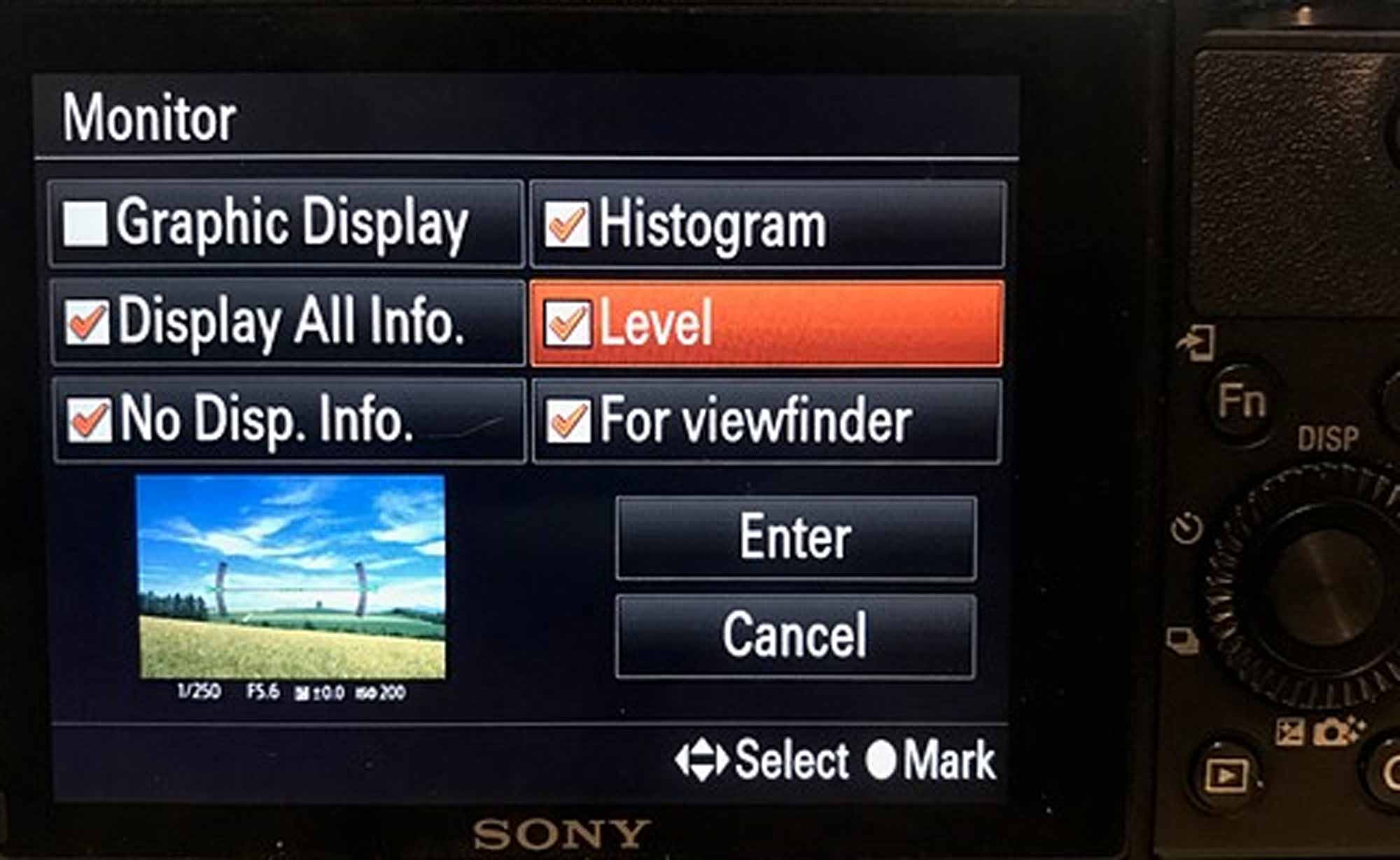 Spirit level in the camera
5. Battery empty, memory card full
It goes without saying - but it has happened to many people: You have a brilliant subject in front of you, but the battery dies at that moment, the memory card is full or suddenly stops working. So before you start your photo tour, always check whether the batteries are charged and whether you have enough memory cards with you. You can make sure that your equipment is ready with just a few test shots.
6. "I can still correct that afterwards"
In principle, yes, but not everything can be changed afterwards. To get the most leeway possible, you should take your photos in RAW format. Nevertheless, take the time to shoot your subjects with the best possible settings. You may also want to use a tripod, which will force you to take even more time. Too much editing can degrade the quality and is time-consuming.
7. A new camera automatically takes better pictures!
We all know the feeling! Taking photos with your own camera just isn't as much fun as it was 10 years ago. However, your photos won't necessarily get better just because you have a new, expensive camera. Make sure that when you buy a new camera, you focus on the functions that are missing from your current camera. This could be a fast autofocus, good noise performance or a 4K video function. But even with your new camera, you will need some time to use these new functions and find your way around. Give yourself some time to get used to the new camera and familiarize yourself with the basics of photography so that you can get the most out of your new camera. You can also take part in a workshop and look for inspiration, for example at exhibitions, on Instagram or similar.
8. Distracting objects, wrinkles and unsightly backgrounds
Invest enough time to take a good look at the subject or your image section. There is often empty packaging on the table, the model's clothes are creased, the bags are bulging or there are distracting objects in the background. It is particularly annoying when you only see this afterwards, as it can often only be retouched with a little more effort.
9. Poor light, poor location
If you are in one place for a longer period of time, use the time to find the perfect position for the subject and think about when the sun is at its best and the light is most favorable. Shoot the subject at different times and in different positions so that you have all the options together afterwards. Use a tripod so that you can determine better settings and the image section and take your time to ensure a straight horizon, no distracting objects and a perfect arrangement of the image components. It is also often helpful to explore the surroundings in advance and look for your spots.
10. Unfortunately not sharp
After taking the photo, at least check the subject on your display and zoom in. Sure, that sounds like a matter of course, but it often happens too quickly and you blur either in the rush or due to incorrect settings. The control is then usually sloppy, because it looks sharp on the normal view of the display, but not later on the computer. Especially with portraits, you should also check whether the focus is at the right point, usually on the eye.
11. No boring motifs
Try to tell a story with your photos. Think carefully about how the picture should be structured and, if necessary, follow the usual rules such as the golden ratio or the rule of thirds. But also break these rules if it makes the picture more interesting. Choose your image section so that unimportant things disappear and important things can be seen. Work with foreground and background, framing, bokeh and cropping.
12. RAW would have been better
As you have seen so far, it is particularly important to take your time and plan the image with the subject. Unfortunately, this is not always possible, for example when street photography has to be done quickly. If it turns out later on the large monitor that the picture was not taken ideally after all, it has to be edited. JPG only offers limited possibilities with a high loss of quality. So be sure to use the RAW format. This is the raw data, so you can adjust everything much better starting from the original image. If you have enough memory, you can also shoot in JPG in addition to RAW, but the RAW format should always be activated. Sometimes you also want to customize an image and print it large when you hadn't planned it beforehand.
13. Back up, back up, back up
The horror for every photographer: the data is gone. Of course, everyone is aware of the risk and you can't hear it anymore. But: back up your data regularly. You've taken such great photos and videos or other documents - it would be a shame if they disappeared. Hard disk errors, burglary, fire, water damage, accidental deletion - there are many causes and you never expect them. So back up your data twice or three times, preferably in a cloud, so that you have it outside your home in an emergency.
The Foto Koch team wishes: Have fun taking photos!