DJI Mic 3 (Variant: 1x Transmitter)
Small, lightweight, versatile
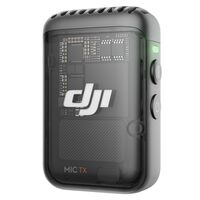
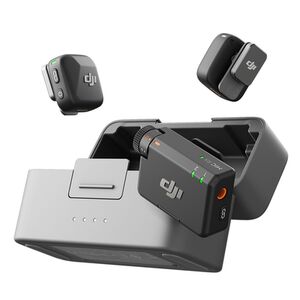
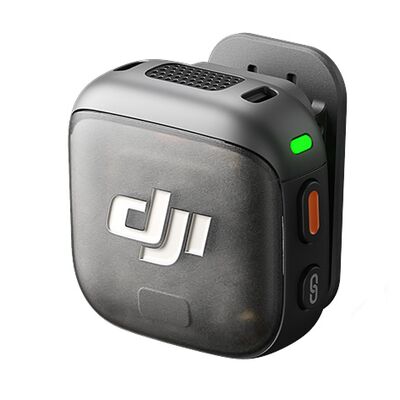
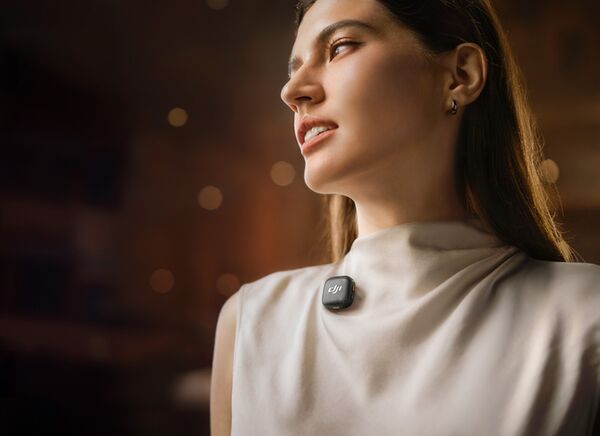
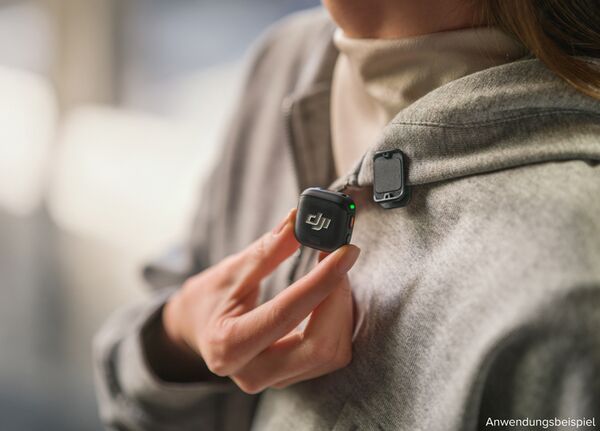
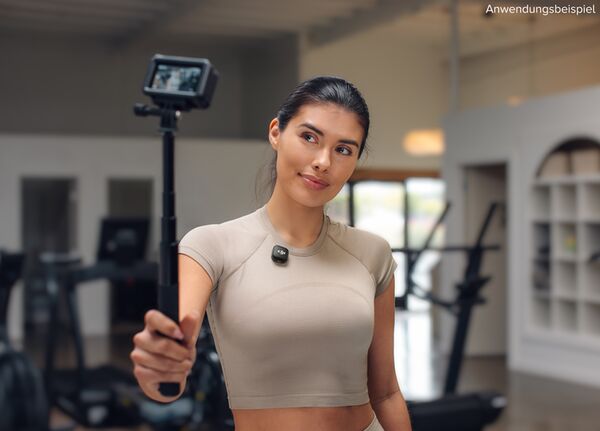
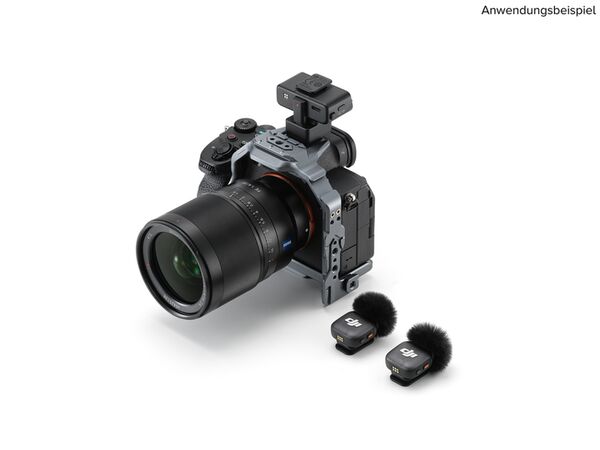
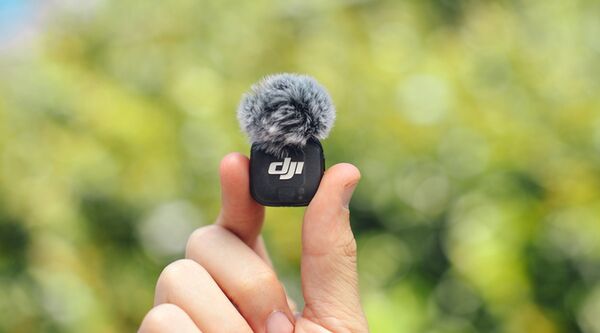
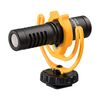
The DJI Mic 3 transmitter is compact, lightweight and discreet in appearance. It can be attached both magnetically and with a clip. The detachable, rotatable clip allows flexible adjustment of the microphone angle: whether mounted sideways or upside down - optimal sound recording is guaranteed in every situation.
Everything you need, ready to use
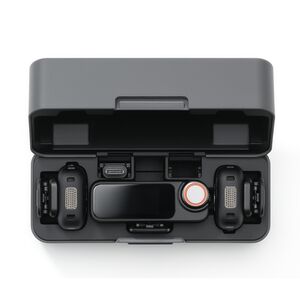
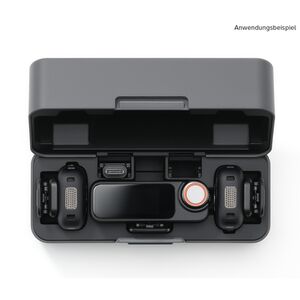
The matching charging cradle stores two transmitters and one receiver. Each transmitter fits in with its mounted windscreen and either attached magnet or magnetic clip - no need to remove them. When the transmitters are stowed with the clips attached, the lid also provides space for the magnets and lockable audio cable[1], keeping everything neatly organized and ready for use.
Premium audio, smart experience
Adaptive gain control for balanced volume[3].
Automatic mode
The automatic mode effectively prevents audio clipping and is therefore ideal for outdoor areas with strong volume fluctuations, such as at sporting events.
Dynamic mode
Dynamic mode automatically adjusts the amplification to changes in volume, ensuring a constant volume - ideal for quiet indoor spaces such as studios.
Three sound presets to suit your style.
Regular
Regular is the default setting and delivers a clean, natural and balanced sound.
Powerful
Powerful emphasizes the low frequencies for a fuller, more powerful sound.
Bright
Bright emphasizes the high frequencies and gives your voice more clarity and brilliance.
Two-stage noise reduction for a focused sound.
Basic
The basic level is ideal for quiet indoor environments and reduces fan, air conditioning and reverberation noise while maintaining the clarity of the voice.
Strong
The strong level is particularly suitable for loud environments and significantly reduces ambient noise, making the voice clearer.
Windscreen
With the windscreen fitted, the transmitter effectively reduces wind and other background noise and delivers clear, crisp sound - even in windy conditions or noisy environments. Ideal for live streaming, vlogging and more.
Effortless control, smooth operation
Parameter customization on the receiver.
The receiver features a 1.1-inch AMOLED touchscreen and a rotary dial that puts gain, battery status and modes at your fingertips. Adjust settings quickly and benefit from flexible and efficient operation.
App-based control + firmware updates
Use the DJI Mimo app to precisely adjust settings and update firmware directly from your smartphone. Experience fast, convenient parameter adjustments and effortless updates.
Robust performance, endless possibilities
4transmitters + 8 receivers for seamless collaboration[2].
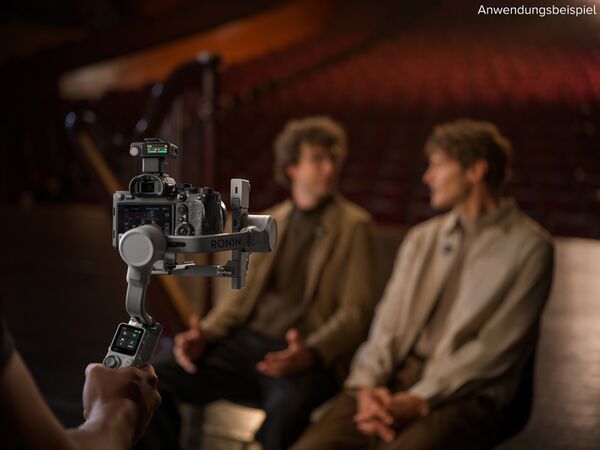
The DJI Mic 3 receiver can be connected to up to four transmitters simultaneously, allowing four audio sources to be recorded in parallel. The main receiver can also synchronize audio with up to seven additional receivers. Whether it's a group interview or multi-camera production, you'll get crystal-clear audio on every device, making post-production a breeze.
Flexible, versatile channel settings
The receiver allows you to choose between mono and stereo (two-channel) modes - you can output the audio from each transmitter individually or merge them into a single track for any creative situation.
Four-channel output[2], effortless editing
In Quadraphonic mode, the DJI Mic 3 receiver - in combination with selected Sony cameras or computer software - supports independent output of four audio tracks. This enables precise track separation and flexible mixing options, giving you more creative freedom in post-production.
Dual-band reliability, stable transmission
The DJI Mic 3 supports automatic frequency hopping between the 2.4 GHz and 5 GHz bands[6] and offers a transmission range of up to 400 meters[7]. Thanks to its robust interference resistance, it ensures stable audio transmission - even in complex wireless environments such as trade fairs.
Lossless transmission, flawless sound
With lossless audio enabled [8], the transmitter delivers uncompressed 48 kHz 24-bit audio directly to the receiver. This ensures that every recording is captured in stunning, high-resolution detail.
Internal dual-file 32-bit float recording
Internal recording
Don't worry about lost audio data - internal recording protects your material from interference and device failure. With internal dual-file recording, DJI Mic 3 simultaneously saves the original track and an algorithmically enhanced version at once[9], optimizing your workflow and keeping your creative process smooth.
Internal 32-bit float recording
With support for internal 32-bit float recording, DJI Mic 3 offers a high dynamic range that not only ensures high-quality audio recordings, but also better adapts to complex sound environments. It is characterized by the fact that it captures all the nuances of a voice - from a soft whisper to high sound pressure levels. This ensures greater reliability in changing sound environments and offers additional flexibility in post-production.
Integrated timecode for precise synchronization
The DJI Mic 3 offers highly accurate timecode support[10]: The transmitter embeds timecode data during internal recording, and the receiver supports both timecode input and output. With less than one frame drift over 24 hours[11], you can instantly synchronize multi-camera recordings in post-production, making editing faster and more efficient.
Stress-free file export
When you're done recording, simply connect both transmitters to your computer or smartphone via the charging cradle and USB-C cable[12]. Transfer all internally recorded files at once - editing and sharing couldn't be easier. You can also connect one transmitter to the DJI Mimo app to download audio files, providing flexible export options to suit your needs.
All-day power, worry-free creativity
28 hours of extended battery life[13]
One transmitter lasts up to 8 hours[14] and one receiver up to 10 hours[14]. A fully charged cradle allows for around 2.4 full charges and therefore up to 28 hours of continuous use[13]. This means that long video recordings and live streams are no longer a problem and you no longer have to worry about empty batteries.
5-minute quick charge
Charge for just 5 minutes and get up to 2 hours of operation[15] from the transmitter and receiver - ideal for a quick energy boost. Thanks to 3C fast charging, a full charge only takes around 50 minutes[16], so you can get creative again in no time.
Several intelligent energy-saving functions
Automatic power saving function[17]
The transmitter automatically switches to sleep mode when no signal is detected by the receiver. It is activated and reconnects to the receiver as soon as the signal is detected again. This function allows you to wear the transmitter for a longer period of time without having to switch it on and off frequently.
Automatic switch-off
On the receiver display or in the DJI Mimo app, you can set the transmitter and receiver to switch off automatically after a certain period of inactivity. If this function is activated on both devices, they will switch off automatically if they are not connected for more than 15 minutes. This saves battery power and preserves more energy for your creativity.
Auto on/off with camera
After activating the "Auto on/off with camera" function on the receiver screen or in the DJI Mimo app, the receiver automatically turns on when connected to the camera via the 3.5mm audio cable or accessory shoe when the camera is turned on, and turns off again when the camera is turned off.
Use while charging
When the receiver is connected to your smartphone via a cable, it draws power directly from it. By connecting an external power source to the receiver's USB-C port, you can charge both the receiver and your smartphone at the same time - so you can record without interruption[18].
Connect instantly, create freely
DJI OsmoAudio™ Direct Connection
The transmitter can be connected directly to the Osmo 360, Osmo Action 5 Pro, Osmo Action 4 or Osmo Pocket 3 without the need for a receiver [19]. The DJI OsmoAudio™ connection system delivers premium sound and simplifies your gear and workflow for a more efficient creative process.
Extensive device compatibility
The receiver offers multiple ports for your creative needs: a lockable 3.5 mm TRS output for stable, uninterrupted connections, a 3.5 mm TRRS monitoring port for real-time audio monitoring and a USB-C port for simultaneous charging and recording - ideal for smartphones, tablets and computers. The adapters allow you to quickly adapt the setup to different devices, making your workflow more efficient and flexible.
Bluetooth Direct-To-Phone[20]
No receiver needed - the transmitter connects directly to your smartphone via Bluetooth, so you can easily use it with your favorite third-party recording or live streaming apps [21]. The DJI Mimo app lets you customize settings and perform firmware updates all in one convenient place, making setup and operation quick and effortless.
Convenient accessories, reliable support
DJI Mic Series Camera Adapter[22]
This adapter connects the DJI Mic 3 receiver directly to the MI accessory shoe of a Sony camera, enabling 48 kHz 24-bit digital audio recording and supporting independent four-channel output.
DJI Mic 3 Multi-Color Windscreens[22]
Provides five windscreens in different colors that can be easily matched to clothing, surroundings, etc.
Order Now
DJI Mic 3 Mobile Phone Adapter (Lightning)[22]
Allows the DJI Mic 3 receiver to be connected to Apple mobile devices via the Lightning connector for audio recording.
* All of the above data was collected in a controlled environment. Actual experience may vary. For usage instructions and recommended settings, please refer to the official DJI product page.
1. When using the charging case, be careful not to stack objects on the receiver units to avoid damaging the screen.
2. To achieve the 4TX + 8RX configuration or four-channel output, additional accessories must be purchased separately. The four-channel output function is only supported by certain Sony camera models (requires DJI Mic Series Camera Adapter) and certain computer software (via USB output). For details, see the compatibility list on the download page of the official DJI Mic 3 website.
3. Adaptive gain control can be configured via the receiver or the DJI Mimo app, and is turned off by default.
4. Sound presets can be selected via the receiver or the DJI Mimo app, with the default set to Regular.
5the Noise Cancellation feature is off by default, but can be enabled and set to either Strong or Basic level via the receiver, DJI Mimo app or devices connected directly via the OsmoAudio™ ecosystem. When using the receiver with multiple transmitters, you can adjust the noise cancellation settings for each transmitter individually or for all transmitters simultaneously. If an Osmo360, Osmo Action 5 Pro, Osmo Action 4 or Osmo Pocket 3 is connected directly via OsmoAudio™, the settings can be adjusted directly via the user interface. If the transmitter is connected directly to a smartphone, the settings can be adjusted directly in the Mimo app.
6. The permitted operating frequency varies depending on the country and region. For more information, please refer to the applicable local laws and regulations.
7. Measured with the DJI Mic 3 (2 transmitters + 1 receiver + charging cradle), with lossless audio disabled, in an open and obstacle-free environment without interference.
8with lossless audio enabled, the transmitter's battery life is reduced by approximately 2 hours under normal conditions and the maximum transmission range is reduced by approximately 50%.
9. Algorithm-based improvements include sound presets, low-pass filtering, noise cancellation and adaptive gain control.
10details on supported timecode modes, frame rates and timecode output formats can be found on the FAQ page of the official DJI Mic 3 website.
11. Measured with the DJI Mic 3 (2 transmitters + 1 receiver + charging cradle) in an environment without electromagnetic interference, with continuous power supply to the transmitters and receiver after timecode synchronization and during 24 hours of uninterrupted recording.
12a list of compatible devices can be found on the download page of the official DJI Mic 3 website.
13. Measured with the DJI Mic 3 (2 transmitters + 1 receiver + charging case) in combination with a fully charged charging case, with functions such as noise cancellation and internal recording deactivated. The measurement was taken during close-range audio recordings under interference-free conditions, with both transmitters connected to the receiver and the receiver connected to a camera via a 3.5 mm audio cable.
14. Measured with the DJI Mic 3 (2 transmitters + 1 receiver + charging case), with functions such as noise cancellation and internal recording deactivated. The measurement was taken with audio recordings at close range under interference-free conditions, with both transmitters connected to the receiver and the receiver connected to a camera via a 3.5 mm audio cable.
15. Measured in a controlled environment with battery levels of the transmitters and receiver below 25 %, with a 5 V charger, with noise suppression deactivated. The measurement was taken during close-range audio recordings under noise-free conditions with both transmitters connected to the receiver and the receiver connected to a camera via the 3.5 mm audio cable.
16. The data was collected in a controlled environment and is for reference only.
17. This function is only effective when the device is switched on. If the auto power off function for the transmitter and receiver is enabled in the DJI Mimo app or on the receiver screen, both devices will automatically power off if no pairing signal is detected after 15 minutes.
18. If your phone has a Lightning interface, the receiver cannot be powered by the phone's battery without an external power source. To enable simultaneous charging and use, the DJI Mic 3 cell phone adapter (Lightning) must be purchased separately.
19. Some functions of the DJI Mic 3 cannot be configured directly via devices connected via the OsmoAudio™ ecosystem. For details, please refer to the FAQ page on the official DJI Mic 3 website.
20. Only one transmitter can be directly connected and used as an audio input source at a time.
21. When the transmitter is directly connected to a smartphone via Bluetooth, it does not support audio recording with the device's native camera app; it only works with third-party apps. A list of compatible apps can be found on the download page of the official DJI Mic 3 website.
22. Sold separately.